Create Printables, Planners & Digital Products With AI
Learn how to find a useful product idea, create it with AI, and get it in front of potential buyers.
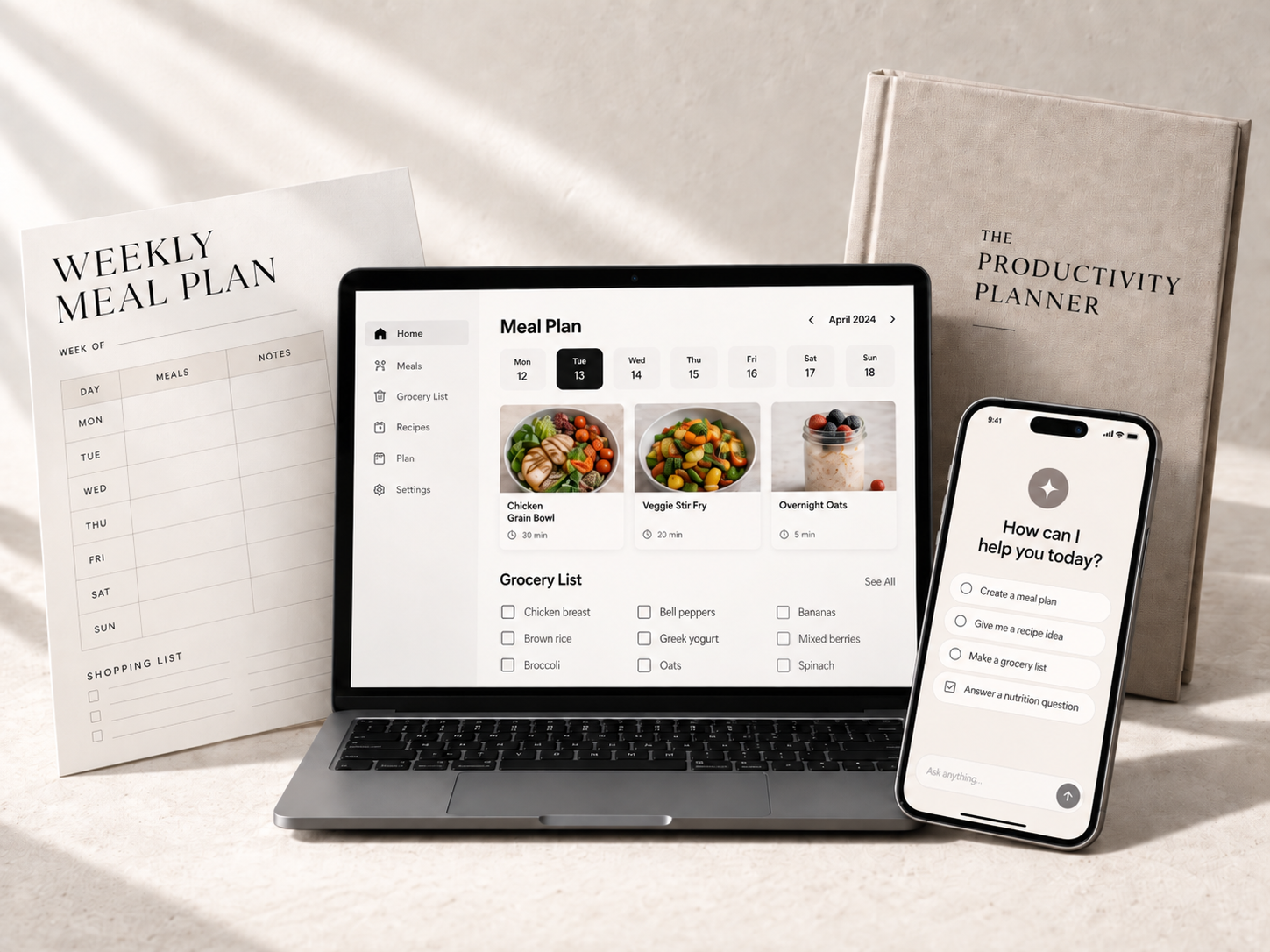
Want to create printables and planners you could sell online?
A weekly meal planner. A grocery list. A personal planner that helps someone make time for themselves. These are practical products people can download, print, and use.
You may know what a meal planner or weekly planner looks like. But making your own brings up questions. What pages should you include? What do you ask AI to write? How do you make the pages clear and easy to use?
I’m Mike Wayne. In this 90-minute workshop, I’ll show you how to use AI to help create them—even if you’ve never made a printable or planner before.
We’ll work through actual examples, including a meal and grocery planner and a “Time For Me” planner. You’ll see how to decide what pages belong inside, draft the content with AI, improve the layout, and check the finished file before offering it for sale.
I’ll also cover options for where to sell your printables and planners. You’ll get the live workshop, replay, prompts, and action plan, so you can revisit the steps while working on your own product.
Come learn the process of creating something useful, page by page.
Save your seat for $50.
Mike
Save my seat
Live 90-minute workshop. Replay, prompts and action plan included.
Want to create printables and planners you could sell online?
A weekly meal planner. A grocery list. A personal planner that helps someone make time for themselves. These are practical products people can download, print, and use.
You may know what a meal planner or weekly planner looks like. But making your own brings up questions. What pages should you include? What do you ask AI to write? How do you make the pages clear and easy to use?
I’m Mike Wayne. In this 90-minute workshop, I’ll show you how to use AI to help create them—even if you’ve never made a printable or planner before.
We’ll work through actual examples, including a meal and grocery planner and a “Time For Me” planner. You’ll see how to decide what pages belong inside, draft the content with AI, improve the layout, and check the finished file before offering it for sale.
I’ll also cover options for where to sell your printables and planners. You’ll get the live workshop, replay, prompts, and action plan, so you can revisit the steps while working on your own product.
Come learn the process of creating something useful, page by page.
Save your seat for $50.
Mike
Save my seat
Live 90-minute workshop. Replay, prompts and action plan included.
In 90 Minutes, You’ll Learn How to Create:
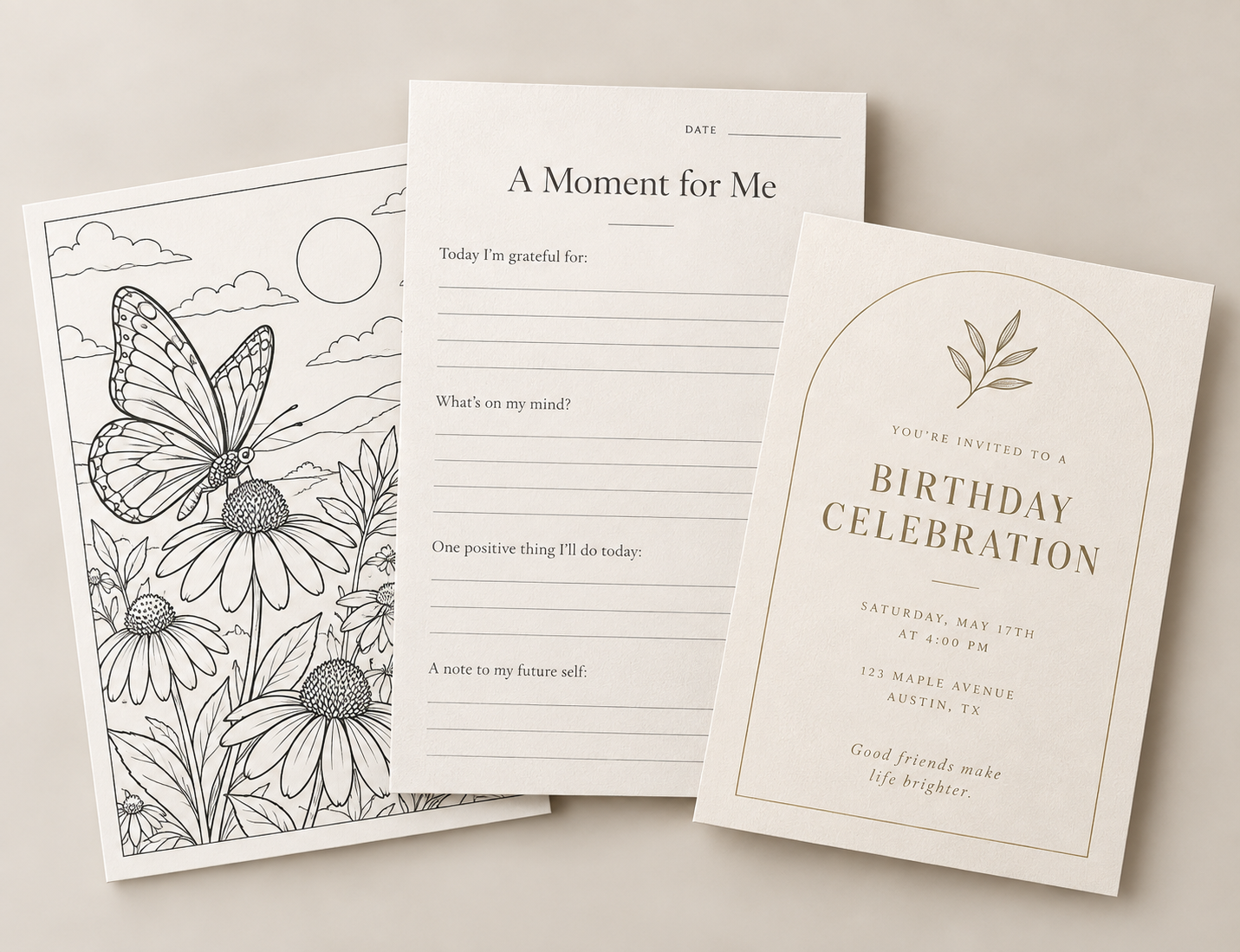
Coloring Page · Journal Page · Invitation
See how the same AI + Canva process can be used to create very different printable products.
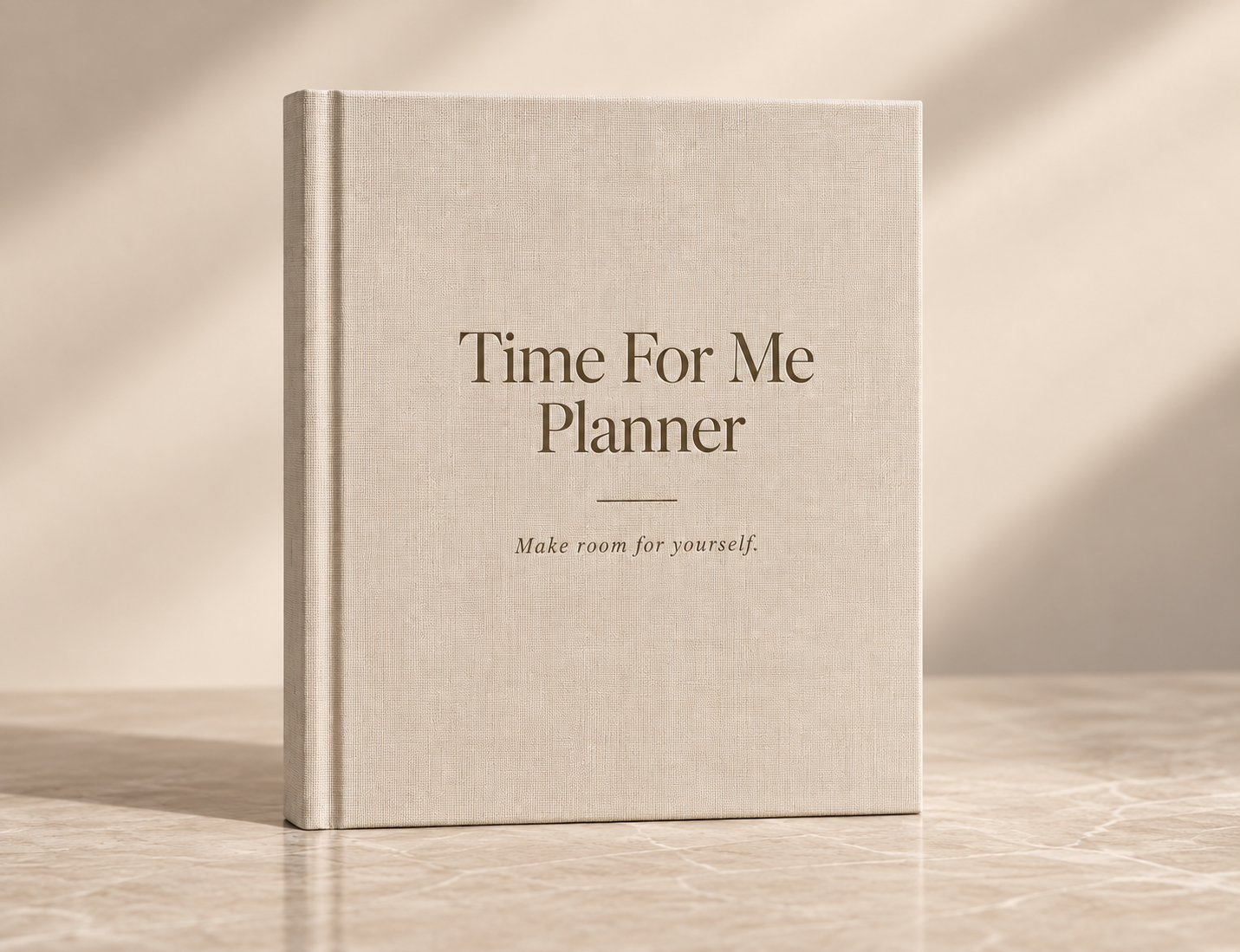
Time For Me Planner
Create a planner for women who spend so much time taking care of everyone else that they keep putting themselves last.
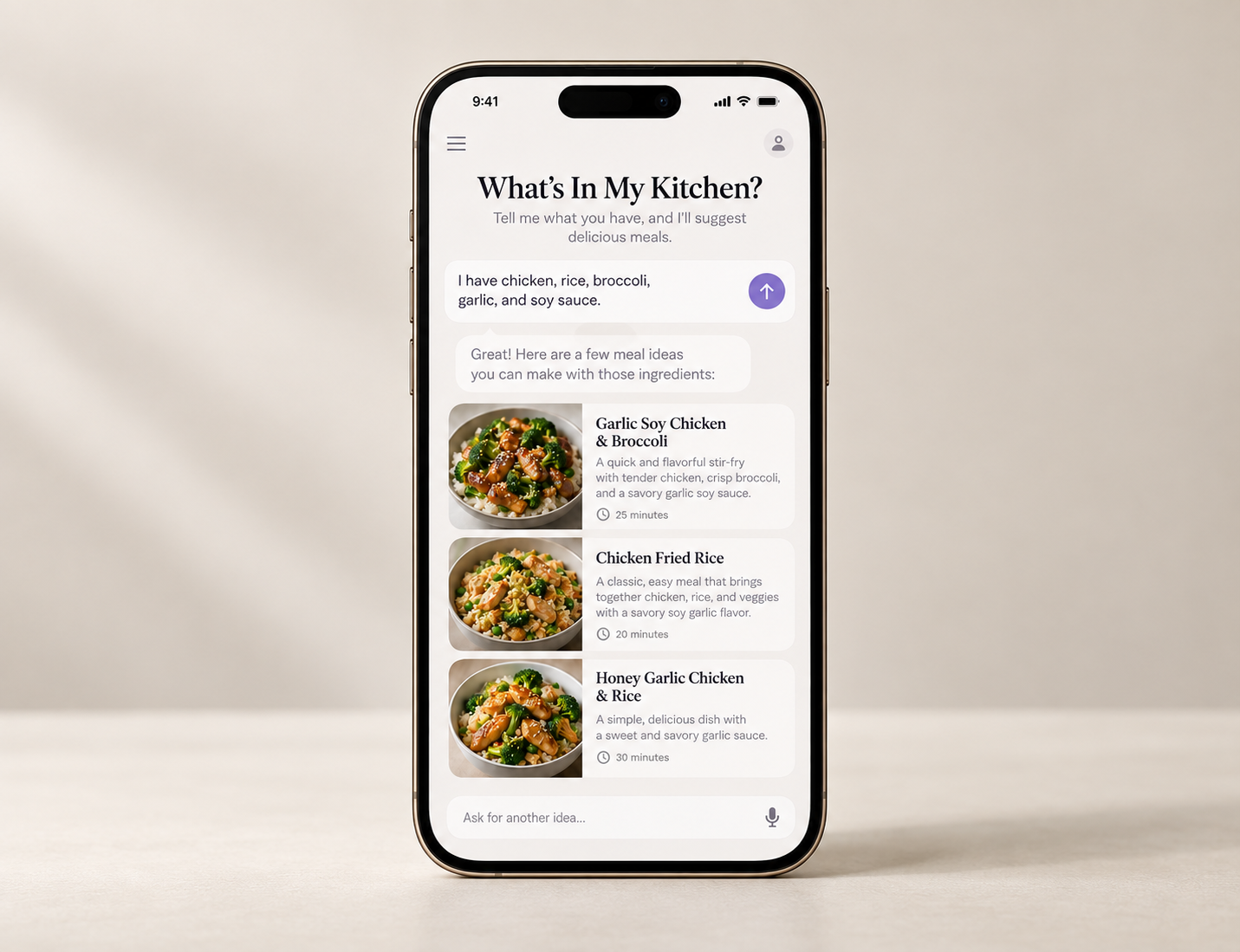
What’s In My Kitchen?
Tell it what’s in your fridge and pantry and get meal ideas using what you already have.
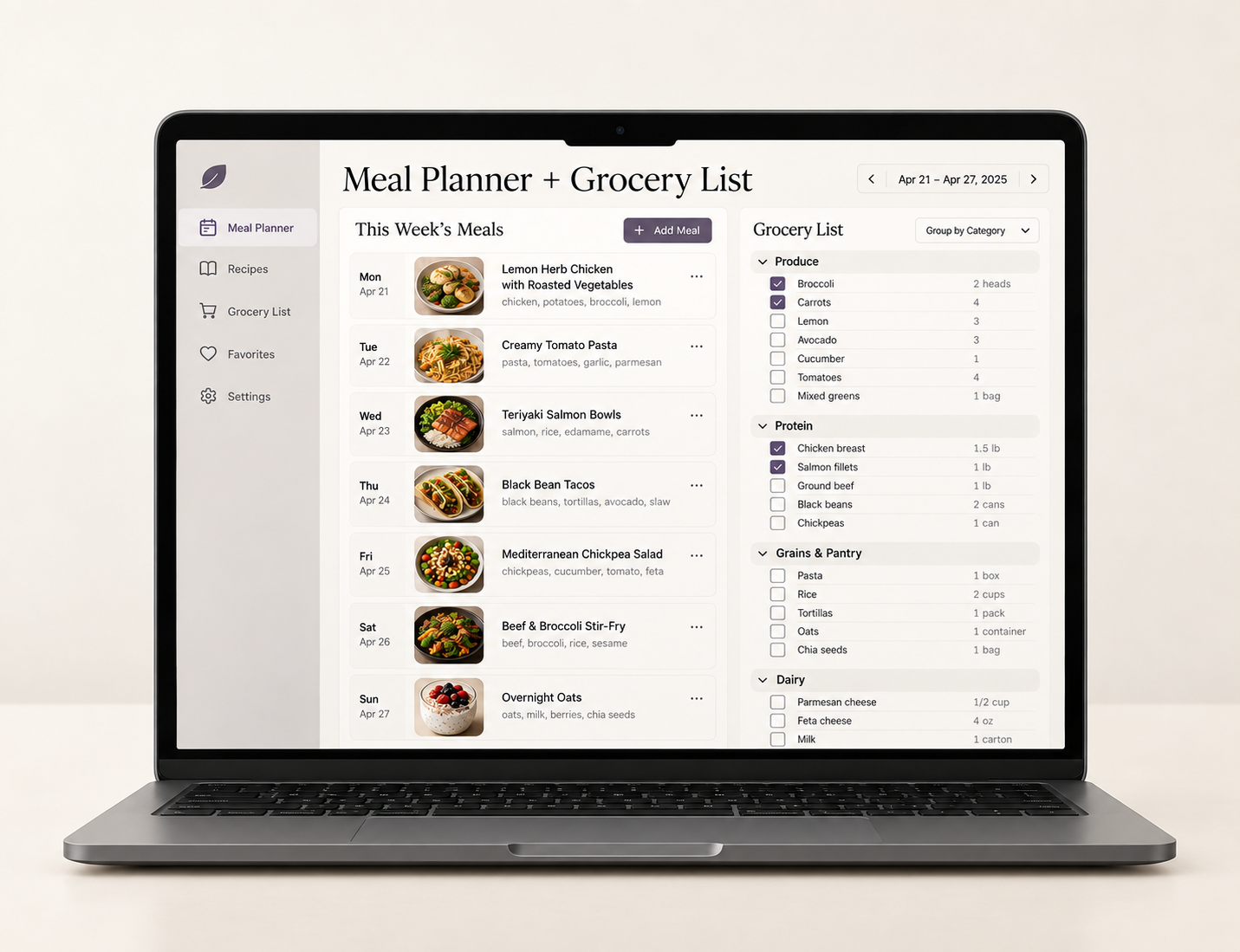
Meal Planner + Grocery List
Enter your meal ideas and automatically turn them into an organized grocery list.
What Kinds of Printables Can You Make?
Printables can be practical, creative, educational or just plain fun. Here are a few ideas to get your wheels turning:
- Invitations
- Shopping lists
- Gift tags
- Recipe templates
- Checklists
- Trackers
- Wall art
- Journal pages
- Kids’ activities
- Daily planner pages
- Bookmarks
- Coloring pages
- Games
- Travel planners
- Calendars
- Party printables
But I’m Not Just Going to Show You How to Make Them
Making a digital product has gotten much easier with AI.
Figuring out what to make — and how to get someone to buy it — is the part that still matters.
So we’re going through the entire process.
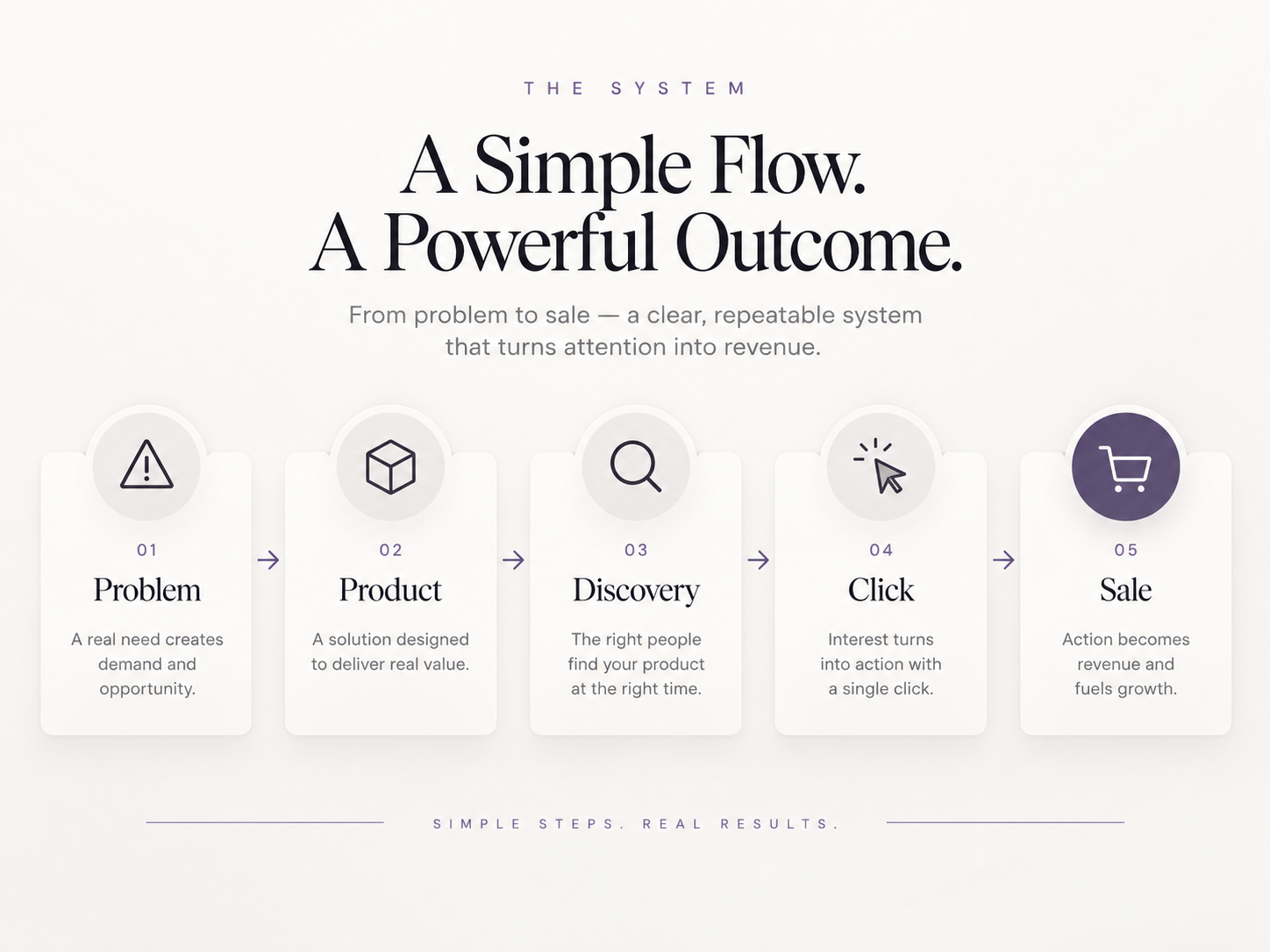
See How a Digital Product Actually Becomes a Sale
- ✓Start with a real problem instead of a random product idea
- ✓Make something specific for a specific person
- ✓Understand where potential buyers can discover it
- ✓Give them a reason to click
- ✓Use a clear product page to help earn the sale
You don’t need 50 product ideas. You need one useful idea for the right person.
Watch Me Go From Research to Finished Product
We’ll create real products together using AI — and you’ll see the process from start to finish.
I'll show you how I use ChatGPT and Claude to research what people are asking for, identify problems and turn those findings into product ideas.
Then we'll use AI to help:
- ✓Use Deep Research to understand what people actually want
- ✓Turn buyer problems into specific product ideas
- ✓Use ChatGPT and Claude to create content and structure
- ✓Use Canva to design and customize
- ✓See how AI can also create finished products directly
- ✓Test and simplify before publishing
- ✓Package the final product for delivery
AI can help you make something. It cannot prove somebody wants it.
In about 10 minutes, I’ll show you the same creation process applied to three very different products:
Different products. Same basic process: idea → prompt → refine → design → export.
Time For Me Planner
We’ll start with the real problem — women scheduling everyone else first — then use AI to help turn that insight into a focused planner.
The goal isn’t more pages. It’s helping someone change something that keeps happening in their life.
Making the Product Is Only Half the Job
Once you've made something useful, you still need somewhere to sell it — and a way for the right people to find it.



A storefront collects the money. A marketplace may already have buyers searching.
We’ll look at the pros and cons of popular options so you can choose what makes sense for you without paying for tools you don’t need yet.
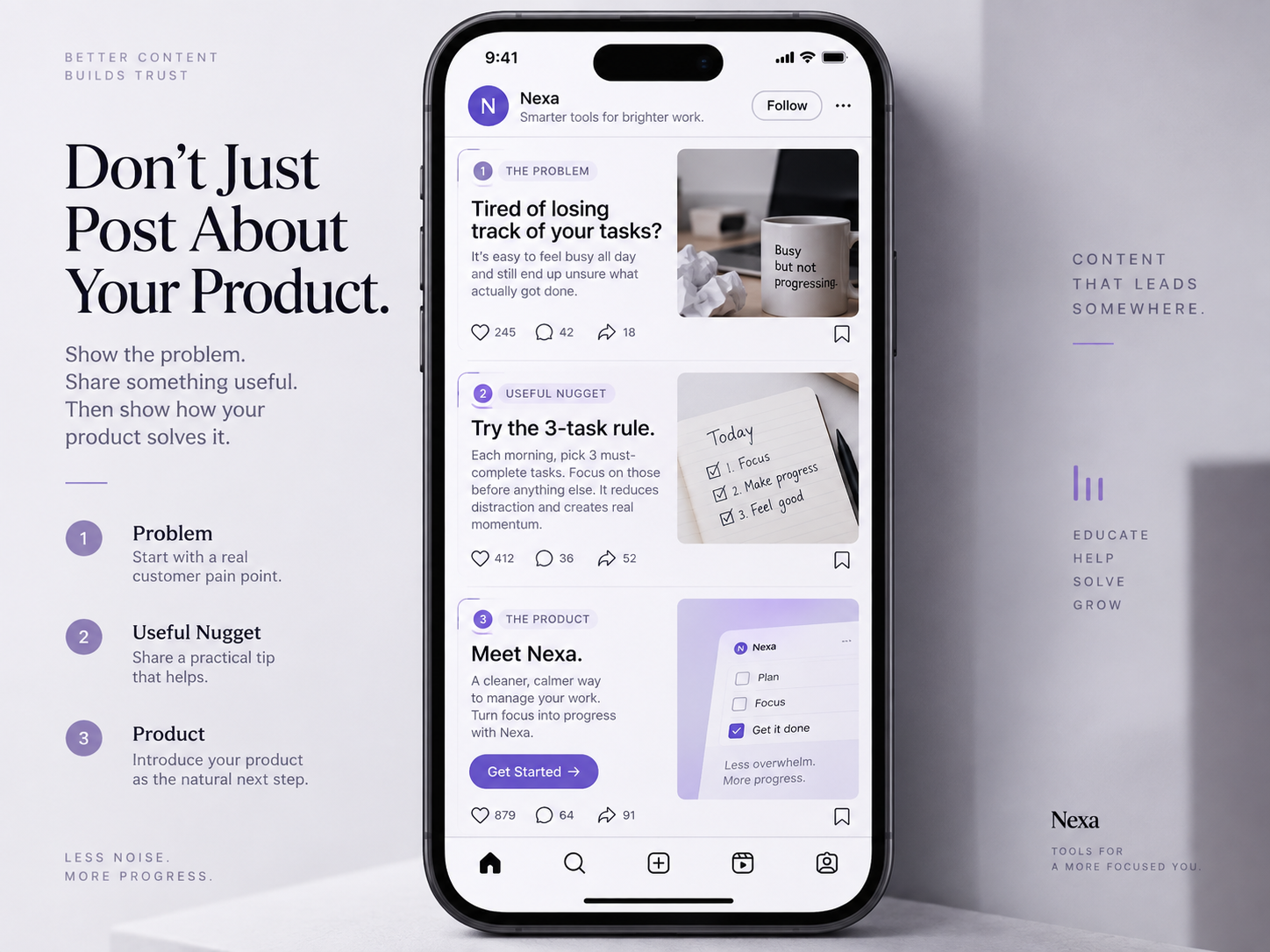
Don’t Just Post About Your Product. Talk About the Problem.
Create useful content about the problem your product solves so you attract people who may actually need what you’re making.
Problem — Talk about the frustration your buyer already experiences.
Useful Nugget — Give them one small idea, tip or useful insight.
Product — Show how your product helps them take the next step.
Problem: “You bought groceries, but it’s Wednesday and you still don’t know what to make.”
Useful Nugget: “Plan four dinners instead of seven. Leave one night for leftovers and one flexible night.”
Product: “That’s exactly what a simple weekly meal planner can help you do.”
I'll show you how to turn one product into content about:
So instead of attracting other people who want to sell printables, you're creating content that attracts people who might actually need yours.
Is This Workshop For You?
This workshop is designed for beginners. It’s a good fit if you want a clear, practical process — and you’re ready to take action on one product.
- ✓You’re a beginner or still figuring this out
- ✓You want a clear step-by-step process
- ✓You’re interested in printables, planners or AI tools
- ✓You want to learn how to research an idea before building it
- ✓You want to see real products created
- ✓You want to understand where to sell
- ✓You don’t need design or coding experience
- ✓You’re ready to take action on one product

Hi, I’m Mike Wayne.
I’m the founder of AI Content School.
I help everyday people use simple AI tools to turn ideas, experience and problems they understand into useful digital products and content.
For this workshop, I’m keeping things practical.
You should leave understanding not just what AI can create — but how you could actually use it to create something of your own.
Create Printables, Planners & Digital Products With AI
We’ll go from:
and build real examples along the way.
Live 90-minute workshop. Replay included.
Want the Templates Too?
Use the same starting points I’ll demonstrate instead of beginning from a blank page.
Digital Product Template Pack — $50
Optional add-on- ✓Coloring Page
- ✓Journal Page
- ✓Invitation
- ✓Weekly Meal Planner
- ✓Time For Me Planner
- ✓Weekly Reset Planner
- ✓Workshop Workbook
- ✓Cheat Sheet
- ✓ChatGPT Skill Pack
- ✓Claude Skill Pack
- ✓Printables GPT
- ✓Creation prompts
Printables, Planners & Digital Products Workshop
One payment. No subscription.
- Live 90-minute workshop access
- Lifetime replay
- The prompts we use
- Research framework
- Product-creation examples
- Cart/platform comparison
- Action plan for creating your first product
AI Content School
For people who want continued training.
- Ongoing AI Workshops
- Workshop replay library
- Member resources
- Community access
You’re already covered.
This workshop is included with your active membership.
Member loginLive online · 90 minutes · Lifetime replay included